- Published on
- 16 min read
From Wet Lab to Bioinformatics: A Practical Transition Guide
- Authors

- Name
- BioTech Bench
Table of contents
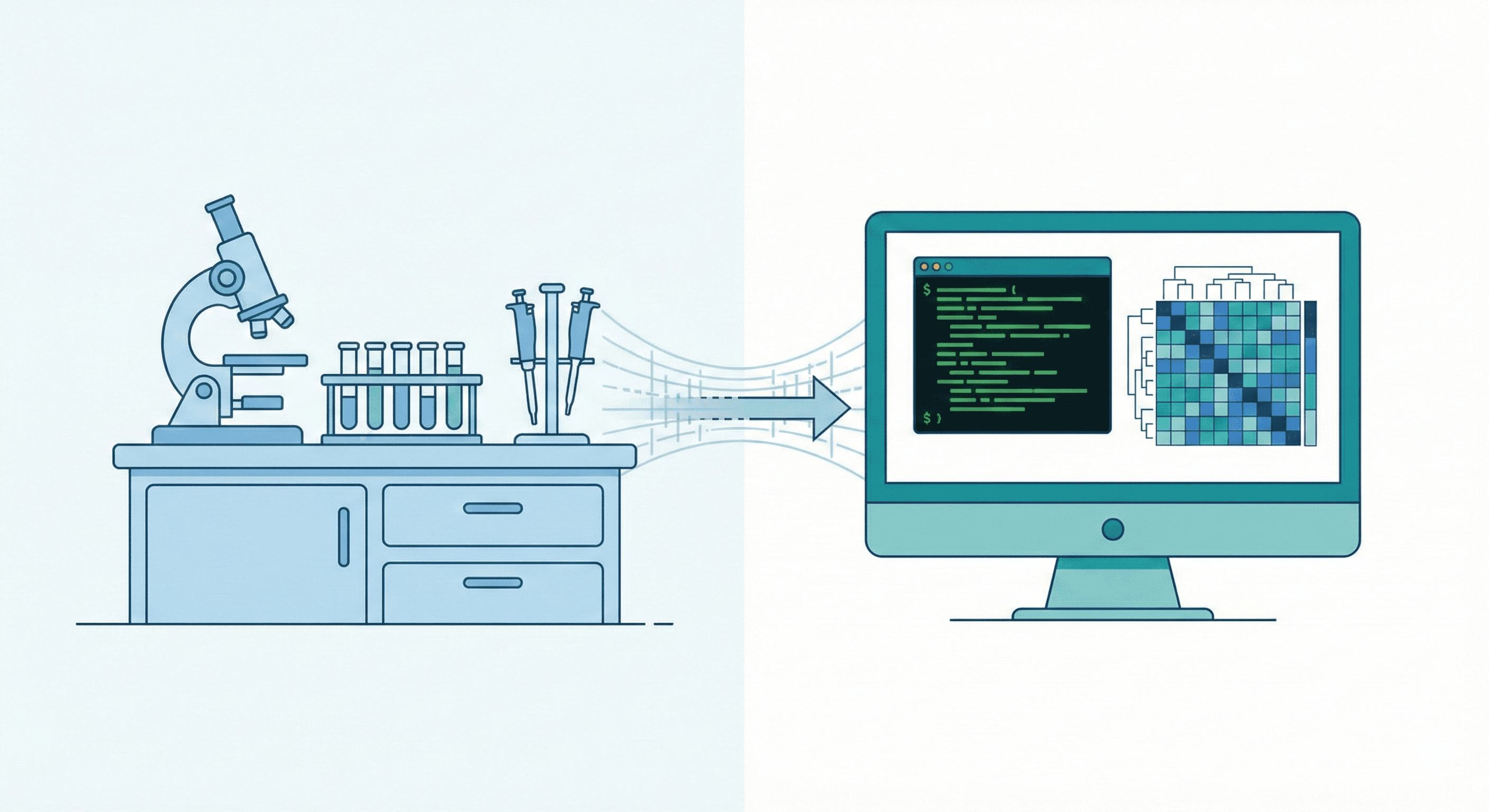
The Itch
You've been running Western blots for three years. You enjoy the science, but you keep noticing something. The postdoc down the hall "learned Python" and now analyzes RNA-seq data from their couch. Your PI keeps mentioning that the lab needs someone who can "do the computational side." Every job posting you look at lists bioinformatics as a desired skill.
And then one day you open a terminal, see a blinking cursor, and close it immediately.
Sound familiar? The transition from wet lab to bioinformatics is more common than you think — and more accessible. But it does require a plan, realistic expectations, and a willingness to feel like a beginner again. Here's what actually works, based on real experiences from bench scientists who made the jump.
First Things First: Why Linux?
Before we get into the roadmap, let's address the elephant in the room. Most bioinformatics is done on Linux. Not Windows, not macOS (though macOS is Unix-based, so it's close). The servers your university's HPC cluster runs? Linux. The cloud machines on AWS or Google Cloud? Linux. The containers your bioinformatics tools ship in? Linux.
You don't necessarily need to install Linux on your laptop right away (though it's free and I'd encourage it). But you need to get comfortable with the Linux way of doing things — the terminal, the file system, the philosophy of small tools that do one thing well and chain together.
If you're on Windows, install WSL2 (Windows Subsystem for Linux). It gives you a full Ubuntu Linux terminal inside Windows — no dual booting, no virtual machines, just open it like any other app. It takes 10 minutes to set up and it's genuinely good now.
If you're on a Mac, your built-in Terminal app already speaks a very similar language to Linux. Most commands work the same way.
The reason Linux matters so much in bioinformatics is philosophical as much as practical. The open-source ecosystem that bioinformatics depends on — BLAST, BWA, samtools, GATK, FastQC — was built on and for Linux. These tools are free, community-maintained, and designed to be run from the command line. You won't find them in an app store with a shiny GUI. And that's actually a feature, not a bug, because it means you can automate everything, reproduce everything, and scale everything.
Phase 1: Learn the Shell (Months 1-3)
This is the foundation. Do not skip this.
Every single bioinformatics tool you'll ever use requires you to be comfortable in a terminal. Not an expert — just comfortable. You need to be able to navigate folders, move files around, look at the contents of a file, and run commands without panicking.
Here's what "comfortable" looks like in practice:
The Essentials
cd— change directories.cd /home/data/rnaseqtakes you to that folder.cd ..goes up one level.cd ~takes you home.ls— list what's in a folder.ls -lhshows file sizes in human-readable format (you'll use this constantly to check if your 2GB FASTQ file actually downloaded).pwd— "where am I right now?" You'll type this more often than you'd like to admit.cp,mv,rm— copy, move, delete files. Be careful withrm— there's no recycle bin in Linux.headandtail— peek at the first or last few lines of a file. Perfect for checking if a FASTQ file looks right without opening a 10GB file in a text editor (don't ever try that).grep— search for patterns in files. Want to find all lines in a FASTA file that contain headers?grep ">" sequences.fasta. This one command alone will save you hours.wc -l— count lines in a file. Quick way to check how many reads are in your FASTQ file:wc -l reads.fastqthen divide by 4.- Piping (
|) — chain commands together.grep ">" sequences.fasta | wc -lcounts how many sequences are in your FASTA file. This is where Linux starts to feel powerful.
A Real Example
Let's say you just downloaded RNA-seq FASTQ files and want to check they're not corrupted. In a GUI world, you'd... open them? Good luck with a 5GB file. In the terminal:
# How big are the files?
ls -lh *.fastq.gz

# How many reads in each file?
zcat sample1_R1.fastq.gz | head -8

# Count total reads (each read = 4 lines in FASTQ)
zcat sample1_R1.fastq.gz | wc -l
That's it. Three commands and you know your data is there and looks right. Try doing that by double-clicking files in Windows Explorer.
Writing Your First Bash Loop
This is usually the moment where people realize the terminal isn't just for typing commands — it's for automating boring stuff. Say you have 20 FASTQ files and want to run FastQC on all of them:
for file in *.fastq.gz; do
    fastqc "$file" -o qc_results/
done
That's a loop. It goes through every FASTQ file and runs quality control on it. You just saved yourself 20 minutes of clicking through a GUI, and more importantly, you have a record of exactly what you did.
SSH: Talking to Remote Servers
Almost no serious bioinformatics happens on your laptop. The datasets are too big and the computations take too long. You'll work on your university's HPC (high-performance computing) cluster or a cloud server. To connect:
ssh username@hpc.university.edu
That's it. You're now typing commands on a machine with 500 GB of RAM and 64 CPU cores, from your laptop in the coffee shop. Everything you learned about cd, ls, grep — it all works the same way on the remote server.
Resources for Phase 1
- Bioinformatics Data Skills by Vince Buffalo — the "Unix for Biologists" chapters are excellent. This book was written for people exactly like you.
- Software Carpentry Shell Lesson (software-carpentry.org) — free, well-structured, designed for scientists. You can do the whole thing in an afternoon.
- Ubuntu or Linux Mint — if you want to try Linux as your daily OS, these are the most beginner-friendly distributions. Both are free to download and install.
Phase 2: Pick One Language (Months 3-6)
Don't learn Python and R at the same time. I've seen people try this and it never ends well. You mix up syntax, you can't remember which language uses <- for assignment and which uses =, and you end up feeling like you're bad at both instead of getting good at one.
Pick one. Get decent at it. Add the other one later if you need it.
Python
Choose Python if you lean toward:
- Building pipelines — automating the steps from raw data to final results
- Working with files and formats — parsing GenBank files, converting between FASTA and FASTQ, batch-renaming things
- Machine learning — if you're interested in predicting protein structures, classifying images, or anything with deep learning
- General scripting — Python is the Swiss Army knife of programming
Where to start: Install Python through Miniconda (free, open-source). It manages packages and environments so you don't end up in dependency hell. Then work through Python for Biologists by Martin Jones — it uses biological examples, not generic "calculate the tip at a restaurant" exercises.
Key packages you'll use:
Biopython— reading sequence files, BLAST searches, GenBank parsingpandas— data manipulation (think Excel but scriptable and way more powerful)matplotlibandseaborn— plottingscikit-learn— machine learning basics
R
Choose R if you lean toward:
- Statistical analysis — t-tests, ANOVA, regression, mixed models, survival analysis
- RNA-seq and omics — DESeq2, edgeR, Seurat, the entire Bioconductor ecosystem lives in R
- Publication figures —
ggplot2produces better figures than GraphPad Prism, and they're 100% reproducible - Exploratory data analysis — R makes it easy to poke around a dataset and see what's there
Where to start: Install R and RStudio (both free, both open-source). Try swirl (we wrote a whole post about it) — it teaches you R interactively, right inside the R console.
Key packages you'll use:
ggplot2— plotting (you'll become obsessed)dplyrandtidyr— data wranglingDESeq2— differential expression analysisSeurat— single-cell RNA-seq
Work With Real Data
This is crucial. Do not spend three months working through generic tutorials about iris datasets and mtcars. Use biological data that you actually care about.
Ideas:
- Download a public RNA-seq dataset from GEO and try to reproduce the figures from the paper
- Analyze your own lab's qPCR data in R instead of Excel
- Write a Python script to batch-rename your microscopy images
- Parse a GenBank file to extract all gene annotations for your favorite organism
The motivation stays high when the data is real and relevant to your work.
Phase 3: Learn Version Control (Git)
I'm putting this as its own phase because it's that important, and because almost every transitioning biologist skips it and regrets it later.
Git is a version control system. It tracks changes to your files over time, like a detailed undo history for your entire project. GitHub is a website where you store your git repositories online.
Why does this matter for bioinformatics?
- You write a script that works perfectly. You "improve" it. It breaks. With git, you can go back to the version that worked.
- You're collaborating with someone on an analysis. Without git, you end up with
analysis_v2_final_FINAL_johns_edits.R. With git, you both work on the same file and merge your changes. - A reviewer asks "how exactly did you filter your data?" You point them to your git history showing every step.
- When you apply for bioinformatics jobs, having a GitHub profile with real projects is worth more than a line on your CV that says "proficient in Python."
How to start: Install Git (free, open-source, works on every OS). Create a free GitHub account. Learn these five commands:
git init          # start tracking a project
git add .         # stage your changes
git commit -m "message"  # save a snapshot
git push          # upload to GitHub
git pull          # download latest changes
That's the core 90% of git. There's more to learn (branches, merging, pull requests), but these five commands will carry you for months.
Phase 4: A Real Project (Months 6-9)
This is where the magic happens. Everything up to this point has been preparation. Now you do the thing.
The fastest way to level up is to own a computational project end-to-end. Not "help with the analysis" or "make a figure for someone." Own it. From raw data to final result.
How to Find Your Project
Option 1: Re-analyze a dataset from a recent lab paper. This is the safest option because you have existing results to compare against, a clear biological question, and your PI will probably love you for it. If the paper's RNA-seq analysis was done two years ago, chances are you can improve it with newer tools and methods.
Option 2: Volunteer to analyze new data. Next time someone in your lab generates sequencing data, offer to do the analysis. Yes, it'll take you three times longer than an experienced bioinformatician. But you'll learn more from one real project than from six months of tutorials.
Option 3: Pick a public dataset nobody's touched. GEO has thousands of datasets that were deposited as part of a paper but never thoroughly analyzed. Pick one related to your research interest, ask a question the original authors didn't, and run with it.
What a Complete Project Looks Like
For an RNA-seq analysis (the most common entry point):
- Download raw data from SRA using
sra-tools(command line, free) - Quality control with
FastQCandMultiQC(command line, free) - Trim adapters with
Trim Galoreorfastp(command line, free) - Align reads with
STARorHISAT2(command line, free) - Count reads with
featureCountsfromSubread(command line, free) - Differential expression with
DESeq2in R (free) - Pathway analysis with
clusterProfilerin R (free) - Figures with
ggplot2in R (free)
Notice a pattern? Every single tool in that pipeline is free and open-source. Every one runs on Linux. This is the bioinformatics ecosystem — you can do world-class research without spending a single dollar on software.
Phase 5: Building Good Habits
Organize Your Projects
Use a consistent folder structure for every project. Something like:
project_name/
├── data/
│   ├── raw/          # never touch raw data
│   └── processed/
├── scripts/
├── results/
│   ├── figures/
│   └── tables/
└── README.md         # what this project is about
The golden rule: never modify your raw data. Write scripts that read from data/raw/ and write to data/processed/. If something goes wrong, you can always start over.
Document Everything
Not just your code — your thinking. Why did you filter at this threshold? Why this normalization method? Write it in comments, in a README, in a notebook. Six months from now you will not remember why you set min_counts = 10, and neither will anyone else.
Jupyter Notebooks (for Python) and R Markdown (for R) are great for this. Both are free and let you mix code, results, and explanations in one document.
Use Conda Environments
Different tools need different versions of the same dependencies. conda (or the lighter mamba) lets you create isolated environments for each project so they don't interfere with each other. This will save you from the classic "it worked yesterday, what changed?" nightmare.
# Create an environment for your RNA-seq project
conda create -n rnaseq python=3.11 star fastqc trimgalore

# Activate it
conda activate rnaseq

# Now every tool you need is available
Both Miniconda and Mamba are free and open-source.
Common Pitfalls
1. Trying to Learn Everything at Once
You don't need to know Python, R, Bash, SQL, Docker, Nextflow, and machine learning before you can do bioinformatics. You need Bash and one programming language. Everything else can be picked up as needed.
2. Avoiding the Terminal
I get it — GUIs feel safer. But every time you use a GUI tool, you're doing something you can't easily reproduce, automate, or scale. Force yourself to use the terminal, even when it's slower at first. It pays off enormously.
3. Not Asking for Help
Bioinformatics has one of the most helpful online communities in science. Biostars (biostars.org), SEQanswers, and Stack Overflow are full of people who were exactly where you are. Search before you post, include your error messages, and you'll almost always find an answer.
4. Imposter Syndrome
Here's the thing nobody tells you: you already understand the biology. That's the hard part. A computer science graduate can learn to run DESeq2 in a day, but it takes years to understand what the results mean — which pathways make biological sense, which hits are artifacts, when a 2-fold change matters and when it doesn't. You have that expertise. The coding is just a tool to apply it.
5. Ignoring Reproducibility
If your analysis can't be reproduced by someone else (or by you, six months later), it's not really an analysis — it's a one-time event. Use git, use environments, write scripts instead of typing commands manually, and keep notes. Future you will be grateful.
You Don't Have to Leave the Bench
I want to end with this because it's important. Going into bioinformatics doesn't mean abandoning wet lab work. Some of the most effective scientists I've seen do both — they understand the biology deeply because they still do experiments, and they can analyze the data computationally.
The goal isn't to become a software developer who happens to work in biology. The goal is to become a biologist who can use computational tools to ask better questions and get answers faster.
Your wet lab skills aren't something you're leaving behind. They're the foundation you're building on.
Making the transition yourself? Have questions about where to start? Drop a comment below.
Tools & Resources Mentioned
| Tool / Resource | What It Does | Link |
|---|---|---|
| WSL2 | Run Linux inside Windows | learn.microsoft.com |
| Ubuntu | Beginner-friendly Linux distribution | ubuntu.com |
| Linux Mint | Beginner-friendly Linux distribution | linuxmint.com |
| Git | Version control system | git-scm.com |
| GitHub | Host and share code repositories | github.com |
| Miniconda | Lightweight Python + package manager | conda.io |
| Mamba | Faster alternative to conda | mamba.readthedocs.io |
| Python | General-purpose programming language | python.org |
| R | Statistical computing language | r-project.org |
| RStudio | IDE for R | posit.co |
| Biopython | Python tools for biological computation | biopython.org |
| pandas | Data manipulation in Python | pandas.pydata.org |
| ggplot2 | Publication-quality plots in R | ggplot2.tidyverse.org |
| DESeq2 | Differential gene expression (RNA-seq) | Bioconductor |
| Seurat | Single-cell RNA-seq analysis | satijalab.org/seurat |
| FastQC | Sequencing quality control | GitHub |
| MultiQC | Aggregate QC reports | multiqc.info |
| Trim Galore | Adapter and quality trimming | GitHub |
| fastp | Fast FASTQ preprocessing | GitHub |
| STAR | RNA-seq read aligner | GitHub |
| HISAT2 | Fast read aligner | GitHub |
| Subread / featureCounts | Read counting for genomic features | subread.sourceforge.net |
| clusterProfiler | Pathway and GO enrichment analysis | Bioconductor |
| sra-tools | Download data from NCBI SRA | GitHub |
| Jupyter Notebook | Interactive coding notebooks (Python) | jupyter.org |
| R Markdown | Reproducible documents in R | rmarkdown.rstudio.com |
| Software Carpentry | Free coding lessons for scientists | software-carpentry.org |
| Biostars | Bioinformatics Q&A forum | biostars.org |
Keep reading
The complete CRISPR guide: from mechanism to NGS analysis
If you know CRISPR exists but aren't sure how to design your experiment or analyze your data, this 22-post series takes you through the whole thing — from Cas9 mechanism to running NGS pipelines.
The complete R for biologists learning path: from spreadsheet to bioinformatics
A structured, 19-post series taking bench biologists from zero R experience to running a full RNA-seq pipeline. No computer science background needed — just curiosity and real lab data.
Why Every Biologist Should Learn R (And How to Start With Swirl)
You don't need a computer science degree to learn R. Here's why it's worth your time as a biologist, and how swirl lets you learn interactively — right inside R itself.