- Published on
- 10 min read
BenchOS: a free, self-hosted lab operating system for molecular and structural biology
- Authors

- Name
- BioTech Bench
Table of contents
An ELN built by people who actually use one
Most lab software is built by software companies who interview scientists. BenchOS was built by a structural biology lab for itself, then released publicly.
It comes from the Farnung Lab at Harvard Medical School — the README credits Quentin Smith, a postdoctoral fellow in Lucas Farnung's lab, and Lucas Farnung, and openly notes it was written "with assistance from ChatGPT and Claude." It bundles an electronic lab notebook, a materials registry, freezer and cryo-EM grid tracking, equipment booking, sequence tools, a set of molecular biology calculators, and an optional AI agent into one self-hosted application under the AGPL-3.0 licence.
You can tell who wrote it from the data model alone. The registry's built-in entry types include Cryo-EM Grid alongside plasmid and cell line. No product manager puts cryo-EM grids in the default schema. Someone who spends their week clipping grids does.
I installed it and ran it end-to-end before writing this. Everything below comes from a real installation, and where something didn't work, I say so.
What you'll learn
- What BenchOS actually includes, module by module
- How to install and run it yourself (real commands, real output)
- How it compares to Benchling, the incumbent
- The specific risks of self-hosting your lab notebook
- Whether it's ready for your lab today — my honest answer is "depends, and probably not yet for most"
Why this is interesting
If you keep a lab notebook digitally, you're probably using Benchling. Its academic tier is free and genuinely good, and that's precisely the concern: your lab's entire experimental record, plasmid maps, and sample inventory live on someone else's servers under terms they control and can change. Academic pricing has a way of becoming commercial pricing once a tool is load-bearing.
BenchOS is the other model. It's local-first and self-hosted: the application runs on your machine or your lab's server, the database is a SQLite file you can copy, and nothing leaves your network unless you configure it to. The AGPL licence means it stays open — anyone distributing a modified version has to publish their changes.
For a lab with data-residency requirements, an IP-sensitive collaboration, or simply a preference for owning its own records, that's a meaningfully different proposition.
Installing it
Prerequisites are modest: Node.js 22 or newer, npm, and git. Docker is only needed for the optional AI agent sandbox.
git clone https://github.com/farnunglab/BenchOS.git
cd BenchOS/server
npm install
cp .env.example .env
The install is quick — 213 packages in about 11 seconds on my machine. Then edit server/.env and set four values at minimum:
JWT_SECRET=<a long random secret>
ADMIN_NAME=<your name>
ADMIN_EMAIL=<your email>
ADMIN_PASSWORD=<a strong password>
Generate the secret properly rather than typing something memorable:
openssl rand -hex 32
Start the server:
npm run dev
Labbook server running on http://127.0.0.1:4000
Labbook database: /path/to/BenchOS/server/data/labbook.db
Note the wording: internally the project is still called "Labbook," which tells you something honest about its age. Then in a second terminal:
cd client
npm install
npm run dev
  VITE v8.0.10  ready in 1488 ms

  ➜  Local:   http://localhost:5173/
That's the whole installation. It worked first time, with no manual database setup — the admin account bootstraps from the .env values on first run. I confirmed the API was live by authenticating against it directly:
curl -s -X POST http://localhost:4000/api/auth/login \
  -H "Content-Type: application/json" \
  -d '{"email":"you@example.com","password":"your-password"}'
{
  "token": "eyJhbGciOiJIUzI1NiIsInR5cCI6IkpXVCJ9...",
  "user": {
    "id": 1,
    "email": "you@example.com",
    "name": "Your Name",
    "role": "admin",
    "roles": ["Admin"]
  }
}
A JWT comes back and the admin user exists. For a v0.1.0 release, a clean first-run install is a better sign than it sounds — plenty of academic software fails here.
What's actually in it
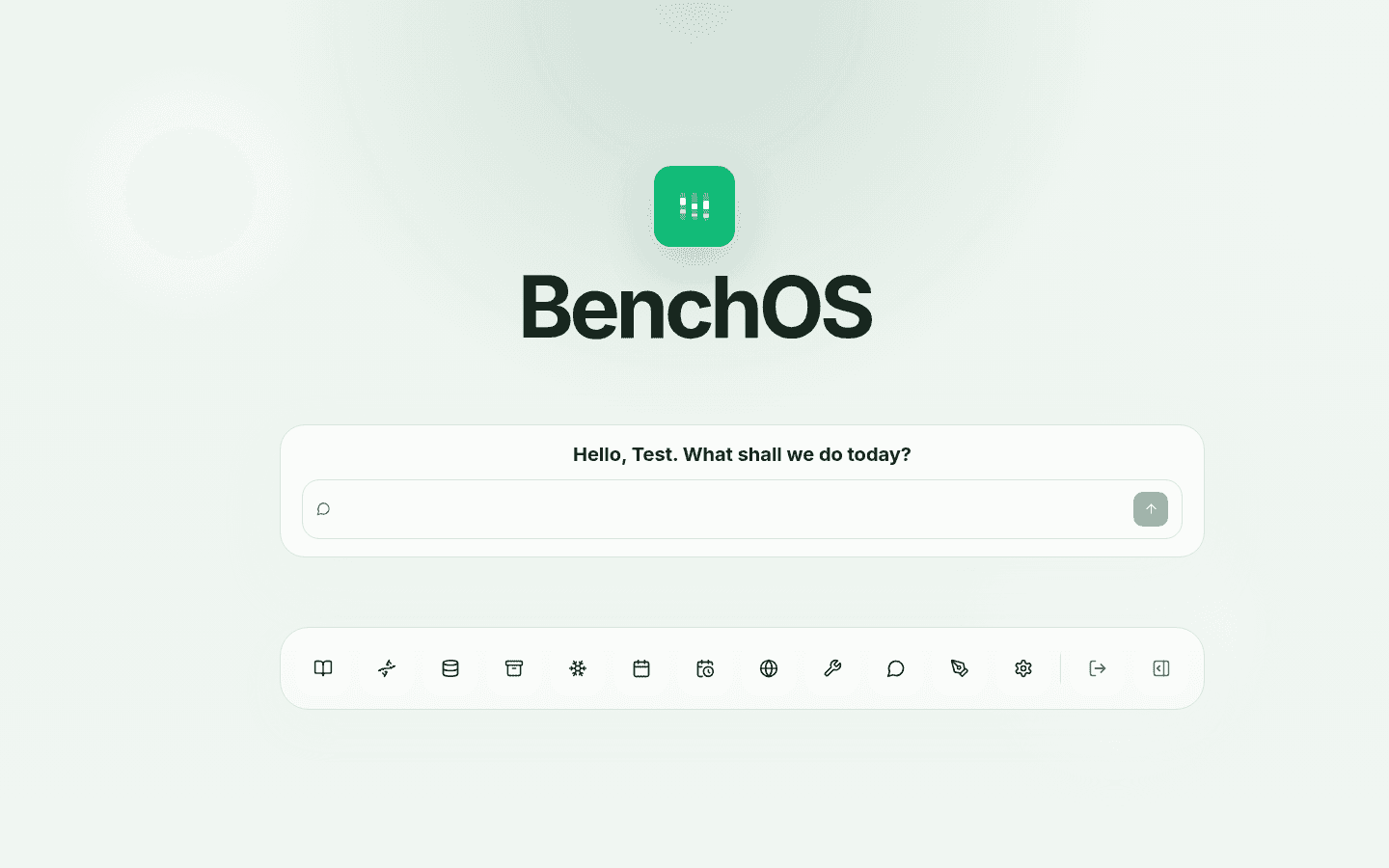
Figure 1. The BenchOS home screen. The primary interface is a chat box — the AI agent is the front door, with the modules in a dock beneath it.
The first thing you notice is the framing: the home screen is a prompt, not a dashboard. BenchOS is built on the premise that you'll ask the assistant for things rather than navigate to them. Whether that appeals depends entirely on your feelings about AI in the lab, and I'd note it's a design bet, not a proven workflow.
Behind the dock are the modules, all of which loaded and rendered in my install:
Lab Book — the notebook, with folders, templates, shared entries, and file import. Entries embed registry-backed widgets, so a protein's molecular weight in your notebook stays linked to the registry record rather than being copy-pasted and going stale.
Registry — the materials database, and the clearest signal of who this is for:
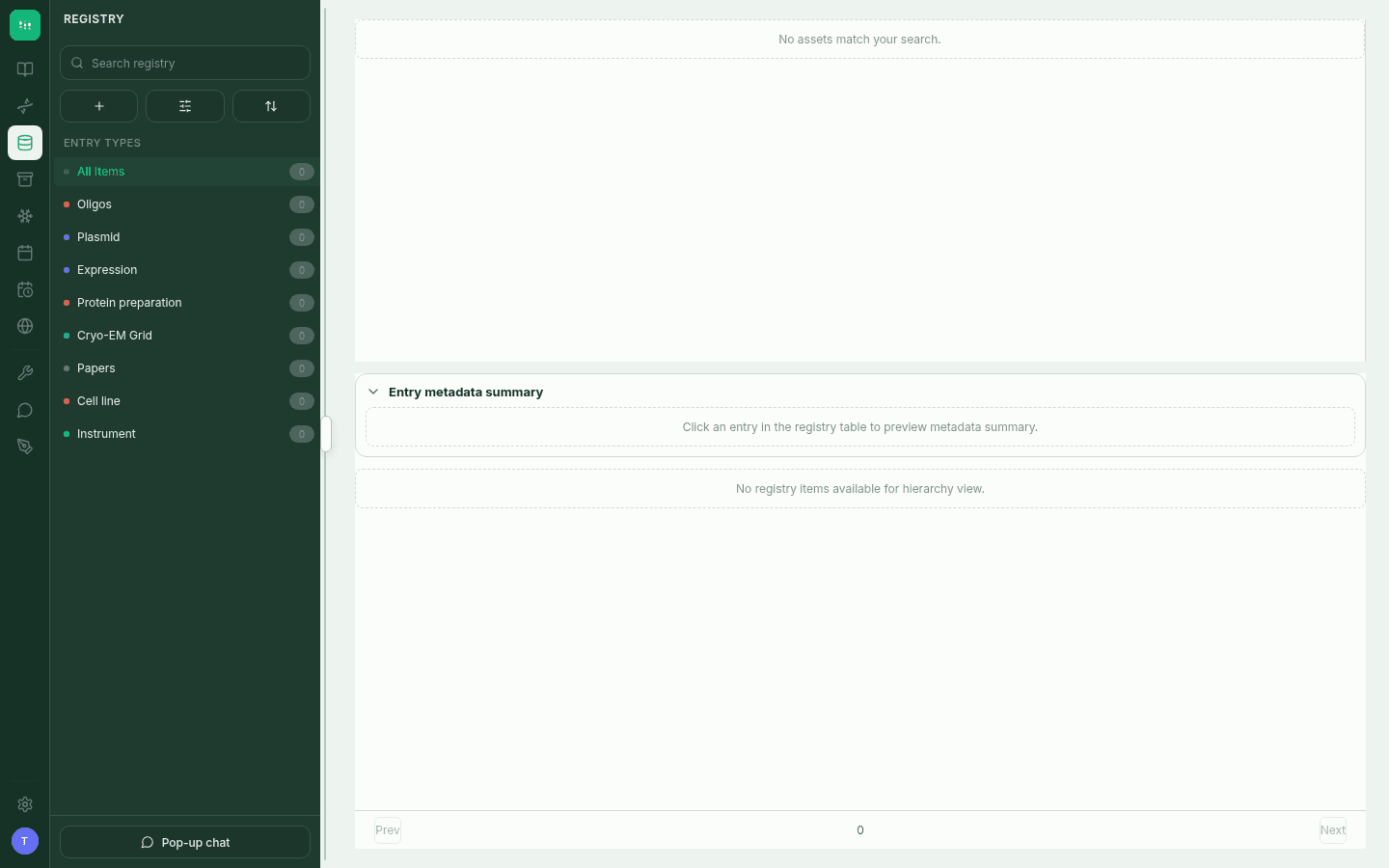
Figure 2. The registry on a blank install. The entry types — including Cryo-EM Grid, Expression, and Protein preparation — are the default schema, not custom fields someone added later.
Cryo Tracker — freezer, dewar, cane, and puck occupancy tracking, down to individual grid positions. If you don't do cryo-EM this is dead weight; if you do, it's the module that no general-purpose ELN gives you.
Tools — a library of molecular biology calculators, each available as both an interactive interface and a CLI:
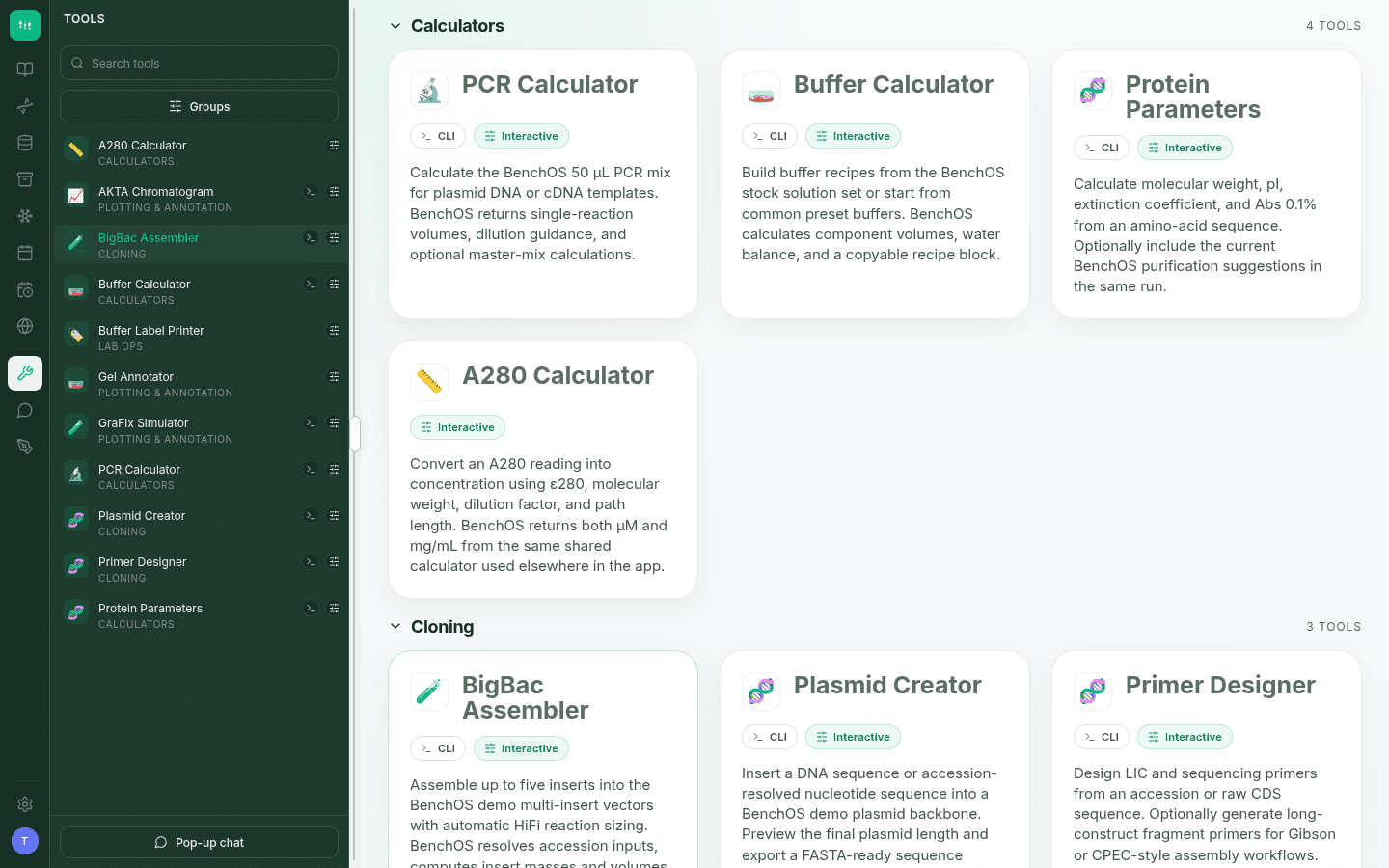
Figure 3. The tools library. PCR and buffer calculators, A280 to concentration, protein parameters, primer design, plasmid creation, BigBac assembly, gel annotation, and an AKTA chromatogram plotter.
These are the small calculations that currently live in a spreadsheet on someone's desktop, or a bookmarked website, or a postdoc's head. Having them beside the notebook and wired to the registry is the genuinely useful idea here.
The Universe — a protein-centric view combining registry data with UniProt-style annotation, for inspecting domains, structures, and sequences.
Sequence — construct viewing, primer design, digests, ORF tools, and mutagenesis helpers, with import and export.
Calendar and Equipment Booking, Chat, Skills (shareable agent capabilities, with private skills staying inside the agent sandbox), and Settings round it out. My install reported version v0.1.0.
How it compares to Benchling
Benchling is more mature by an enormous margin, has a real support organisation, and its academic tier costs nothing. If you want an ELN that simply works and you're comfortable with hosted software, Benchling remains the sensible default, and nothing here changes that.
BenchOS differs on three axes that matter to some labs and not at all to others. You own the data, because it's a SQLite file on your own disk. It's structural-biology-native, with cryo-EM grid tracking and protein prep records built in rather than bolted on. And it's AI-agent-first by design, where Benchling's AI features are additions to a conventional interface.
The trade is stark: you're exchanging a polished, supported, hosted product for an unpolished, unsupported one that you have to run yourself. That's a real cost, and it's paid in sysadmin time.
The honest caveats
This is the part that matters more than the feature list.
It is genuinely brand new. The public repository has a single commit, zero issues, zero pull requests, and a handful of stars. There is no community, no track record of bugs being found and fixed, and no preprint yet — the website says one is coming. You would be among the first outside users, with everything that implies.
Dependencies need updating on day one. A fresh npm install reported 10 vulnerabilities on the server (3 moderate, 6 high, 1 critical) and 7 on the client. These are all in third-party packages — axios, multer, nodemailer, tar and friends — not in BenchOS's own code, and every one reported a fix available. Run npm audit fix before you expose this to anything. But it does tell you the release wasn't dependency-audited immediately before publishing, and if you put it behind an nginx reverse proxy as the docs describe, that matters.
Self-hosting your lab notebook means owning the consequences. This is the big one, and it's not a criticism of the software. A lab notebook is a legal and scientific record. It may be evidence in an IP dispute, a requirement of your funding body, or the only account of what a departing student actually did. Self-hosting means backups, uptime, disk failures, and migrations are your responsibility. The repo ships backup utilities and upgrade documentation, which is more than most projects, but the burden is real and permanent. If nobody in your lab wants to own that, this is the wrong choice, and choosing it anyway is how labs lose data.
Don't make it your only copy yet. For a v0.1.0 release with no external track record, the responsible way to evaluate it is in parallel with whatever you use now, on non-critical records, for a few months.
Who should look at this today
Try it if you run a structural biology or biochemistry lab, someone on your team is comfortable with a terminal and a server, and either data ownership matters to you or the cryo-EM and protein-prep tracking solves a problem you actually have. It's also worth a look if you're simply curious what an AI-agent-first lab interface feels like — it's a coherent, well-executed take on that idea.
Skip it for now if nobody in the lab wants to be the sysadmin, if you need support or compliance guarantees, or if Benchling's free academic tier already covers you. "It's free and open source" is not a reason to migrate a working lab notebook.
The thing I'd actually watch for: whether a second commit arrives, whether issues get answered, and whether the preprint lands. A lab releasing its internal tooling is a genuinely good thing for the field, and this is a better-executed release than most. Whether it becomes maintained infrastructure or a published-and-abandoned repo is the question the next six months will answer, and that question — not the feature list — should decide whether you trust it with your records.
Also from the same lab: BenchAid
Worth knowing about separately. BenchAid is the Farnung Lab's other release: an MIT-licensed Python and Go project that turns an agentic LLM into a molecular biology assistant for primer design, buffer calculations, ORF verification, codon optimisation, and cryo-EM refinement. It optionally connects to IDT, Twist, Quartzy, Notion, and Plasmidsaurus.
It's a much smaller commitment than standing up a server — you clone it and point an agentic coding tool at it — and it's more mature by the crude measure of stars. If BenchOS is more than you want to take on, BenchAid is the lower-risk way to try this lab's thinking.
Additional Resources
- BenchOS on GitHub — AGPL-3.0, with installation, Docker, security, and upgrade docs
- BenchOS.ai — project site; preprint listed as coming soon
- BenchAid on GitHub — MIT-licensed molecular biology AI agent
- Farnung Lab — the lab behind both projects
Reviewed on 2026-07-30 against the public v1 source release (reported in-app as v0.1.0), installed on Node.js 22.22.2. BenchOS is developing quickly; check the repository for changes since this date. This review is independent — we have no relationship with the Farnung Lab and received nothing for writing it.
Keep reading
CellPAINT: The Free Tool That Turns Molecular Biology Into Art
An in-depth look at CellPAINT — the free, scientifically accurate molecular painting tool from Scripps — and how it compares to BioRender, ChimeraX, PyMOL, and other illustration platforms.
Sanger Sequencing Analysis Tools: Free Software for Variant Calling
A practical guide to free tools for analyzing Sanger sequencing chromatograms — from .ab1 viewers to CLI variant callers.
PCR primer design: the rules, the tools, and which one to actually use
A practical guide to designing PCR primers that work — covering the rules every bench scientist should know, plus an honest comparison of the best free web tools.